A moment for you. A connection for both of you.
How are you two
today?
Some days you have plenty to give. Some days you don’t.
Notice how much energy you have and what would feel good. Use Capacity for yourself or share your check-in with your partner.
One iPhone and one Android? They can pair.
To share with each other,
start with an invite.
Each of you installs the app and creates an account. Then one of you sends an invite link to connect your accounts. You can also use Capacity on your own without pairing.
A few quick gestures.
More context.
“I don’t have much energy today. A little space would feel good.” A check-in can help you put what you need into words.
-
Start with energy.
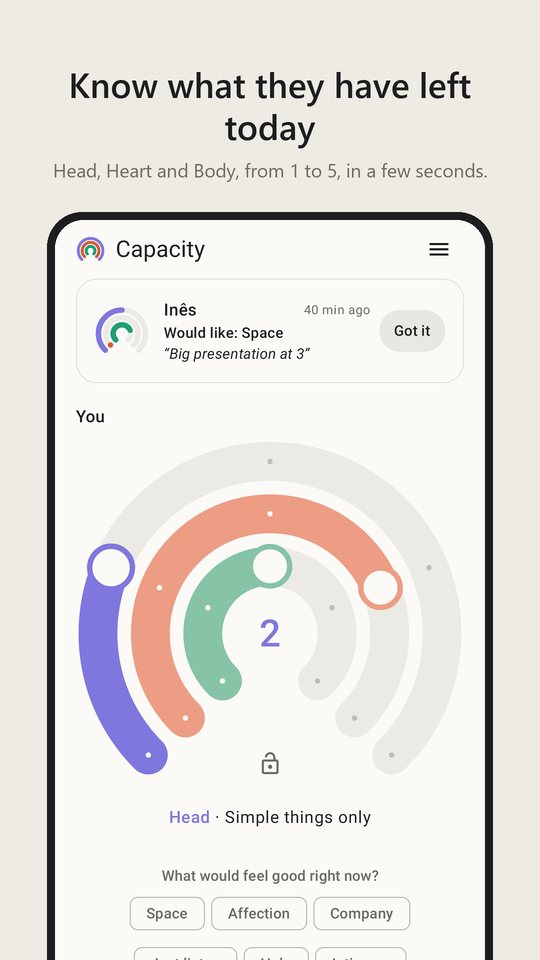
Set the outer ring to the energy you have today.
-
Emotion is optional.
Use the inner ring to add an emotion if you’d like to share how you feel.
-
What would feel good?
Pick up to two needs, such as space, affection or company. Add a note if you like. You can share it with your check-in or keep it to yourself.
The other side of the check-in
A little closer.
Right on their screen.
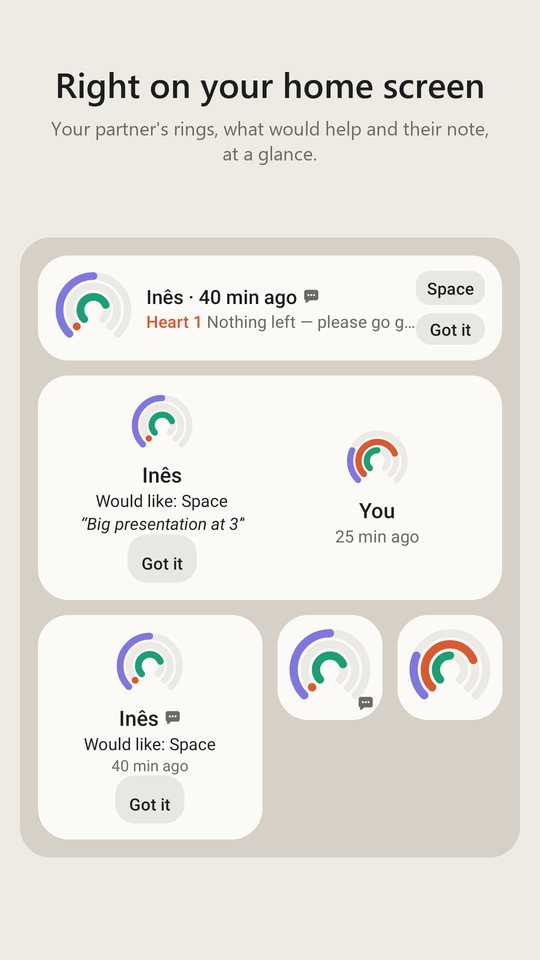
When you share, the widget shows your check-in on your partner’s home screen. They can also tap “Got it” in the app.
Seeing how your partner is doing can make it easier to start a conversation.
Your private history
There’s more
than today.
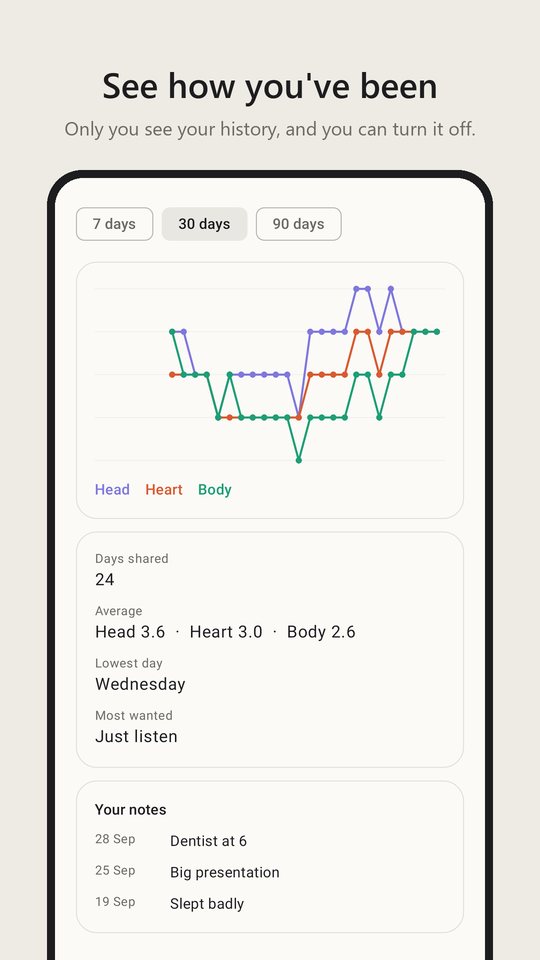
Revisit your check-ins to see how you’ve been feeling over time and notice what changes.
Before your first
check-in.
Can I use the app without sharing?
Yes. You can use Capacity on your own without pairing with a partner.
Where can I learn more about privacy?
Read the privacy policy to see how we handle your data.
How can I delete my account?
See the instructions on the Delete account.
Who can I contact for help?
Write to hello@sharecapacity.app.
Start
here today.
Take a moment to see how you’re doing. You don’t need to have all the words.
iPhone + Android. Android + Android. iPhone + iPhone.